
ESPRESSO MACHINE COMPARISON
Breville Barista Touch Impress vs Touch vs Pro: Which Is Worth Your Money?
The Breville Barista Touch Impress, Barista Touch, and Barista Pro all combine a built-in grinder with espresso brewing, but they ask different things of the person making coffee. Touch Impress adds assisted tamping and guided feedback; Touch keeps the touchscreen and automatic milk texturing but leaves tamping to you; Pro swaps the touchscreen workflow for a more hands-on setup with manual milk steaming. The best choice comes down to which steps you want help with—and which you would rather control yourself.
As an Amazon Associate, IdealPick earns from qualifying purchases. Prices and availability may change.
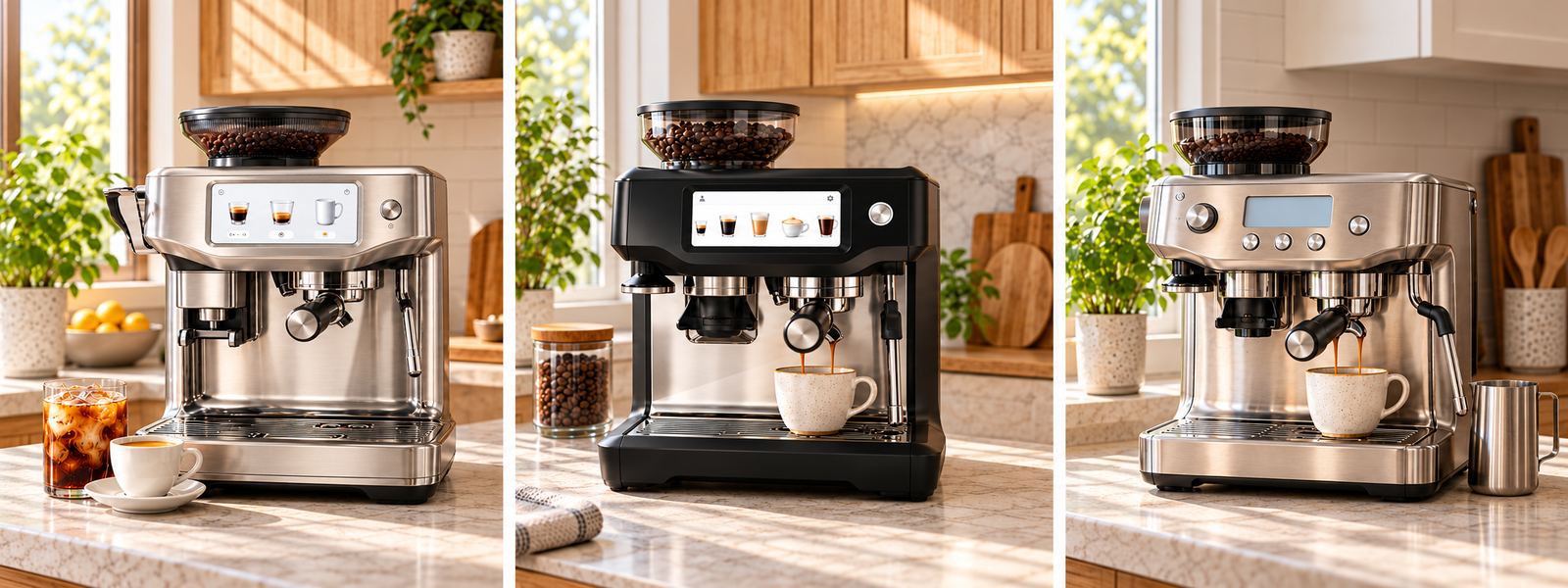
Quick Verdict
Choose Barista Touch Impress if you want help with dosing and tamping, guided preparation, and automatic milk texturing. It reduces some of the technique required, but you will still need to dial in the grind for your beans.
Choose Barista Touch if you want a touchscreen, saved drink preferences, and automatic milk texturing—and are comfortable tamping the coffee yourself.
Choose Barista Pro if you prefer a more hands-on routine, physical controls, and manual milk steaming rather than paying extra for touchscreen guidance and automatic texturing.
All three use Breville’s fast-heating ThermoJet system, so the advertised roughly 3-second heat-up is not a meaningful reason to choose Pro over the other two.
At a Glance
Swipe horizontally to compare all three models on a phone.
| Decision | Barista Touch Impress | Barista Touch | Barista Pro |
|---|---|---|---|
| Best for | Guided preparation with tamping assistance | Touchscreen convenience with manual tamping | Hands-on espresso and manual steaming |
| Heating system | ThermoJet; advertised ~3-second heat-up | ThermoJet; advertised ~3-second heat-up | ThermoJet; advertised ~3-second heat-up |
| Tamping | Assisted tamping and dose feedback | Manual | Manual |
| Milk texturing | Automatic, with adjustable settings | Automatic, with adjustable settings | Manual steam wand |
| Controls | Guided touchscreen workflow | Touchscreen drink customization | LCD and physical buttons |
| Cold drinks | Includes dedicated Cold Brew and Cold Espresso programs | Check the exact model’s available presets | Primarily a manual espresso workflow |
| Main trade-off | More assistance, higher cost | Convenience without assisted tamping | More hands-on skill, fewer automated steps |
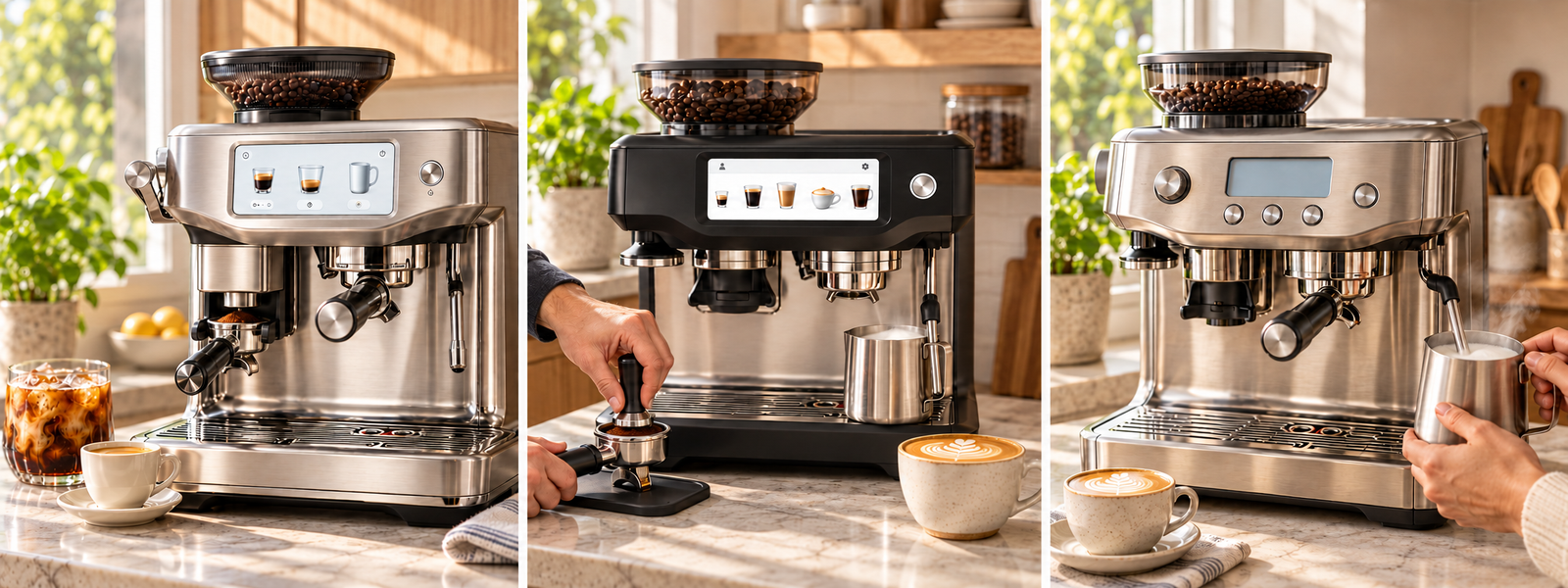
Assisted Tamping vs. Manual Tamping
Barista Touch Impress is the only one of these three built around assisted tamping and dose feedback. The system guides the user through preparing the puck and can help reduce inconsistencies caused by uneven or uncertain tamping.
Barista Touch and Barista Pro leave tamping to you. That means one more technique to learn, but it also keeps the preparation process familiar for people who like to handle each step themselves.
Assisted tamping does not make grind size or dose irrelevant. Espresso still needs to be dialed in for the beans being used, and a guided workflow cannot guarantee a better-tasting shot every time.
Choose Touch Impress for help with repeatable preparation; choose Touch or Pro if manual tamping is part of the experience you want.
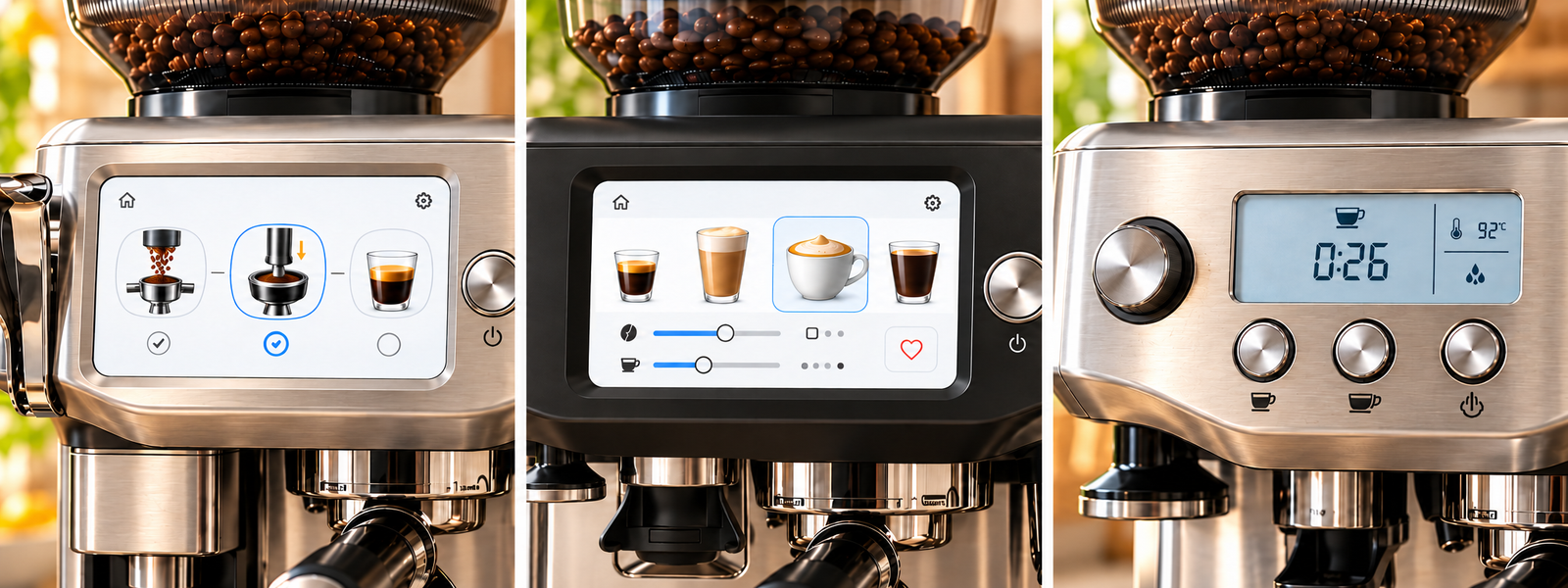
Automatic Milk Texturing vs. Manual Steaming
Touch Impress and Touch can texture milk automatically, which is useful when you make lattes or cappuccinos often and want a more repeatable routine. You still need to choose suitable settings and clean the milk-contact parts after use.
Barista Pro uses a manual steam wand. You control how much air enters the milk and how the milk swirls, giving you more direct involvement—but the results depend more on practice and technique.
Automatic texturing is about convenience, not a guarantee that every milk type will produce identical results. Milk choice and settings can affect the final texture, so users who switch between dairy and plant-based milk may need to experiment.
Choose Touch Impress or Touch to reduce the work involved in milk drinks; choose Pro if learning and controlling the steaming process matters more to you.
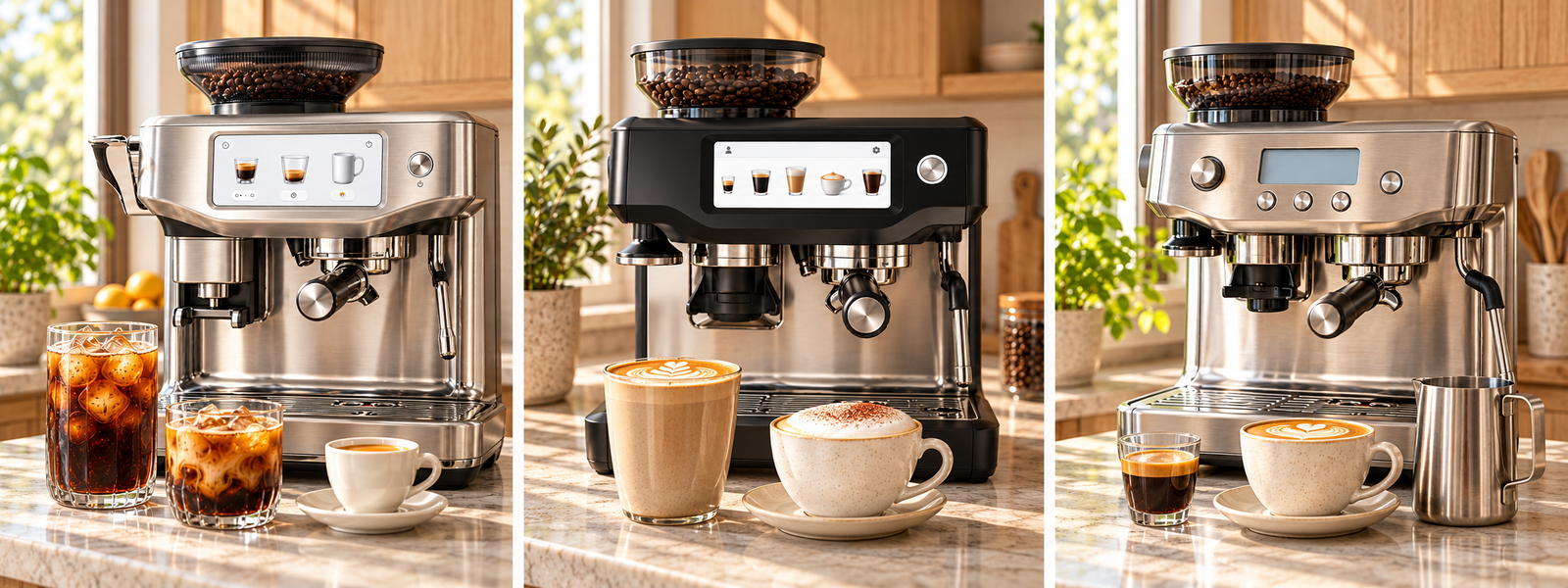
Cold Coffee, Drink Settings, and Everyday Fit
Touch Impress stands out for its dedicated Cold Brew and Cold Espresso programs, alongside guided drink preparation and adjustable milk-texturing settings. These are useful if cold coffee is part of your regular routine—not just an occasional experiment.
Keep in mind that a machine’s quick Cold Brew program is not the same process as traditional cold brew steeped for many hours. The dedicated programs offer speed and convenience, but they should not be treated as identical brewing methods.
Barista Touch is a strong fit for households that mainly make espresso, lattes, and cappuccinos and want to customize saved drinks. Barista Pro is better suited to people who are happy to prepare drinks more manually and do not need a touchscreen-led workflow.
Also consider your counter space and cleaning routine. All three require regular care for the grinder, brew group area, drip tray, and milk system or steam wand; automatic milk texturing reduces hands-on steaming but does not remove the need to clean milk-contact parts.
Which One Should You Buy?
Final Recommendation
For many households, the Barista Touch is the practical middle ground: it offers touchscreen drink customization and automatic milk texturing while leaving tamping in your hands. Pay more for the Barista Touch Impress if assisted tamping, guided feedback, and its cold-coffee programs solve problems you expect to encounter regularly. Choose the Barista Pro if you would rather control milk steaming yourself and prefer physical controls over a touchscreen workflow. Since all three advertise roughly 3-second ThermoJet heat-up, do not choose Pro for speed alone. Compare the current selling prices and pay for the features you will actually use—not simply the model positioned higher in the range.
As an Amazon Associate, IdealPick earns from qualifying purchases. Prices and availability may change.